Privacy 9 min read
The Keyring and the Drawer
A simple, essentialist way to decide what matters in your digital life, protect it properly, and let the rest stay small
Listen · 9 min
Download for later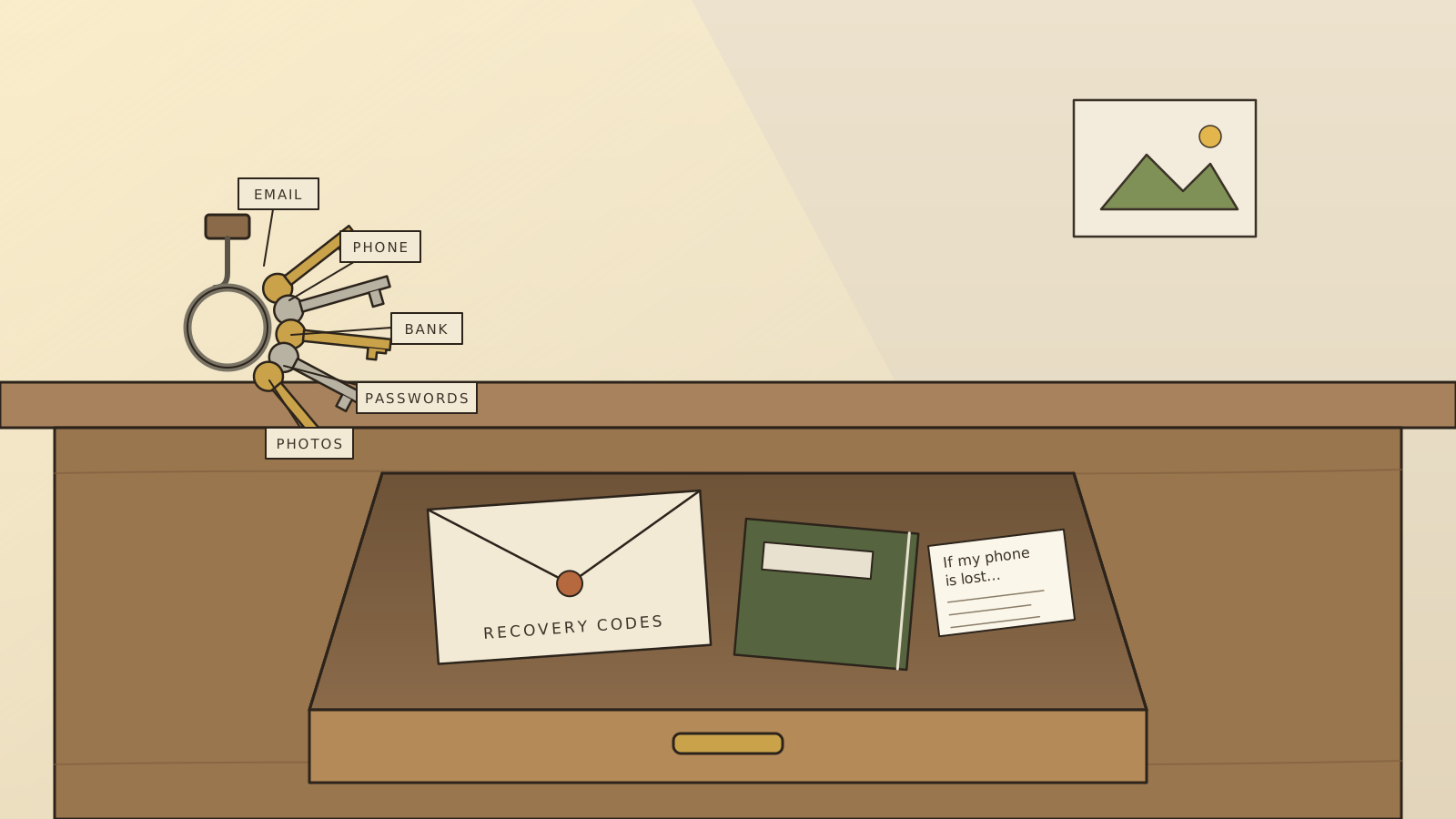
In most grandparents’ houses there were two things that held the whole household’s security together.
The first was a keyring: front door, back door, the shed, the car. Four or five keys, worn smooth, always in the same coat pocket. The second was a drawer. In it lived the papers that mattered: the deeds, the passports, the insurance letter, the will. Someone trusted, usually a son or daughter, knew which drawer.
That was the whole system. It wasn’t clever. It didn’t need to be. It worked because there were only a few doors, everyone knew which ones mattered, and the important things were kept somewhere safe and boring.
Our digital lives have hundreds of doors, and most of us have no idea which ones matter. In A Small House With Good Locks we fitted the four locks that protect most people from most harm. This piece is about the part that comes before and after the locks: deciding what’s worth protecting, and building a household habit that keeps it protected, without fear and without fuss.
Two different things
It helps to separate two words that usually get blurred together.
Security is about who can get in. Locks, passwords, the second step at login.
Privacy is about what’s there to be found, and who’s watching. A house can have excellent locks and glass walls.
You need both. But notice which one minimalism helps with most: privacy. Security protects what exists; minimalism decides how much exists in the first place. The data you never handed over can’t leak, be sold or be used against you. Every principle in this journal (fewer things, chosen well) is, quietly, a privacy principle.
Step one: the inventory
This part needs one evening, a notebook and a cup of tea. No changes yet, just looking.
Write down everywhere your digital life lives: every account you can remember (your password manager, or a search of your inbox for welcome or verify your email, will show you dozens you’ve forgotten), every device in the house, every place your photos are stored.
Then sort the list into three tiers. If you’ve read The Computer That Knew What to Drop, you’ll recognise the move: it’s a priority table.
- The crown jewels. The handful of things that, if taken, would hurt badly or open everything else. For almost everyone: your main email, your phone number, your password manager, your bank, the cloud account holding your photos, and perhaps a government login. Usually five to seven things.
- The household. Accounts that matter but wouldn’t cascade into disaster: shops, utilities, work tools, social media.
- The clutter. Newsletters, old forums, free trials, apps you used once in 2019. Candidates for closing.
Most people discover something freeing here. You don’t have two hundred things to protect. You have about six, surrounded by a lot of clutter. That is an essentialist problem, and it has an essentialist answer: protect the few things superbly, and make the rest smaller.
Step two: find the master keys
Now take the crown jewels and trace how each one is recovered. If you forgot the password, where would the reset link go? If you lost the code, what would the bank text?
Draw it as little arrows on the page. Almost everyone finds the same shape: nearly everything resets through the email, and the email resets through the phone number. Those two are the master keys. Whoever holds them holds the whole ring.
So they get the best protection you can give:
- Email: a long password used nowhere else, and two-step verification using an authenticator app, a passkey or a physical security key. Britain’s National Cyber Security Centre is clear that any second step is better than none, but text-message codes are the weakest common kind, because they depend on your phone number.
- Phone number: ask your mobile network what protection they offer against someone moving your number to a new SIM, and add an account PIN or password if they have one. It’s a five-minute call that closes one of the most damaging tricks there is.
- A private address for the jewels. Consider a separate email address used only for your bank, password manager and government accounts, never given to a shop or a newsletter. A master key nobody has seen is a master key nobody can target.
That last idea is Mechanical Sympathy in reverse. There, we kept what we use most close at hand. Here, we keep what matters most far from the crowd.
Step three: give less away
Then turn to the household and the clutter, and make them smaller. This is the minimalist’s half of privacy.
- Close the clutter. Pick three old accounts a week and delete them. Each is a room you no longer have to lock.
- Use aliases for shops. Most email providers and password managers now offer hide my email or alias addresses. Give each shop its own. If one leaks or starts spamming, you delete that one address and nothing else is touched.
- Leave optional fields blank. Your date of birth and your phone number are keys to other doors. Hand them over only when there’s a real reason.
- Fewer apps, fewer permissions. Your phone will list which apps can see your location, contacts, microphone and photos. Most don’t need to.
- Fewer devices. Every gadget is a door. Old phones and laptops in a drawer should be wiped and recycled, not kept.
- Photos of children belong in private albums shared with people you know, not public feeds where they live forever.
And a quiet legal power worth knowing: in the UK, you can ask any organisation what personal information it holds about you. It’s called a subject access request, it’s usually free, and they normally have to answer within a month. You can also ask them to delete it, though there are conditions. It’s a calm way to find out who has been keeping notes on you.
Step four: the human door
Here’s something the security industry doesn’t advertise: for ordinary families, most losses don’t come from clever hacking. They come from someone being persuaded. A text from “the bank”. A call from “the police”. A message from “your son” with a new number, in trouble, needing money now.
You’ll recognise the techniques from Be Like the Headland: urgency, authority, fear. They work by reaching your fast mind before your slow one wakes up. So the defences are habits that buy you a pause:
- Stop. Challenge. Protect. That’s the UK’s Take Five advice, and it’s a fine motto. Stop before you give money or information. Challenge the request; you’re allowed to refuse, and real organisations won’t rush you. Protect yourself by calling your bank if something feels wrong.
- Hang up and call back yourself, on a number you already know. In the UK, you can dial 159 to be connected straight to your bank; it can’t be faked the way caller ID can.
- No real bank or police officer will ask you to move money to a “safe account.” Ever. That sentence alone stops a great deal of fraud.
- A family safe word. Voices can now be cloned from short clips. Agree a word or phrase with your family, in person, never written in a message, and ask for it whenever a call claims an emergency involving money.
Step five: the drawer
This is my favourite part, because the most important security tool in a modern home may be a sheet of paper.
When you set up two-step verification, most services offer backup codes: a few one-time codes that let you back in if your phone is lost. Print them, or write them by hand. Do the same with your password manager’s emergency kit. Put them in an envelope in a drawer, or a small fireproof box.
Think about why this works. Criminals on the other side of the world cannot reach a piece of paper in your house. And the burglar who might reach it has no interest in it. It’s low-tech security in its purest form: out of reach of the network entirely.
Then do the digital death cleaning, so that the drawer serves the people you love too:
- Apple lets you name a Legacy Contact who can access your account’s photos and files after you die.
- Google has an Inactive Account Manager that shares chosen data with up to ten people if your account goes unused for a period you choose.
- Your password manager usually has an emergency-access feature, or keep its emergency kit in the drawer.
And, as in your grandparents’ house, one trusted person should know which drawer.
Step six: decide the answers while you’re calm
The Apollo engineers survived the 1202 alarm because they’d decided, months in advance, what to do under overload. You can do the same for the three bad days most likely to come. Write each one on an index card, and put the cards in the drawer.
If my phone is lost or stolen:
- From another device, use Find My (Apple) or Google’s Find Hub (Android, formerly Find My Device) to lock it, and erase it if it’s gone for good.
- Call the mobile network to block the SIM.
- Change the email password, from a device you trust.
- Tell the bank.
If my email is taken over:
- Get back in with a backup code from the drawer.
- Change the password, and sign out every other session.
- Check the recovery phone and address, and look for any forwarding rules you didn’t set. Intruders like to leave one behind, quietly copying your mail.
- Warn your contacts not to trust strange messages “from you.”
If someone calls about my money:
- Hang up. Don’t give anything.
- Dial 159, or the number on your card.
- Tell someone at home. Scams thrive on secrecy.
When the yellow light comes on, you won’t have to think. You’ll open the drawer.
A rhythm, not a project
None of this needs to happen at once, and trying to do it all in one weekend is the surest way to never finish. A gentler shape:
- One evening: the inventory and the three tiers.
- One weekend: harden the crown jewels, about twenty minutes each. Print the backup codes. Fill the drawer.
- One conversation: the family safe word, over dinner.
- Then, each season: half an hour with a cup of tea. Check that updates are on. Close three old accounts. Review app permissions. Make sure the recovery details are still right. Ask the family the safe word, to make sure no one’s forgotten it.
That last part is the real secret. Security isn’t a fortress you build once; it’s housekeeping. Small, regular, unremarkable. Like sweeping the step.
Your grandparents never thought of themselves as security experts, and they weren’t. They simply had few doors, knew which mattered, kept the important things somewhere safe, and told someone they trusted where. Strip away the technology, and that is still the whole art: a short keyring, a good drawer, and the calm that comes from knowing what you have.
Sources
- National Cyber Security Centre, Setting up two-step verification
- UK Finance, Take Five to Stop Fraud
- Stop Scams UK, 159
- On UK subject access requests: LexisNexis summary of the ICO’s updated guide (2026)
- Associated Press, How to prepare your online accounts for when you die
- Scientific American, A safe word can protect against AI impostor scams